Nodes
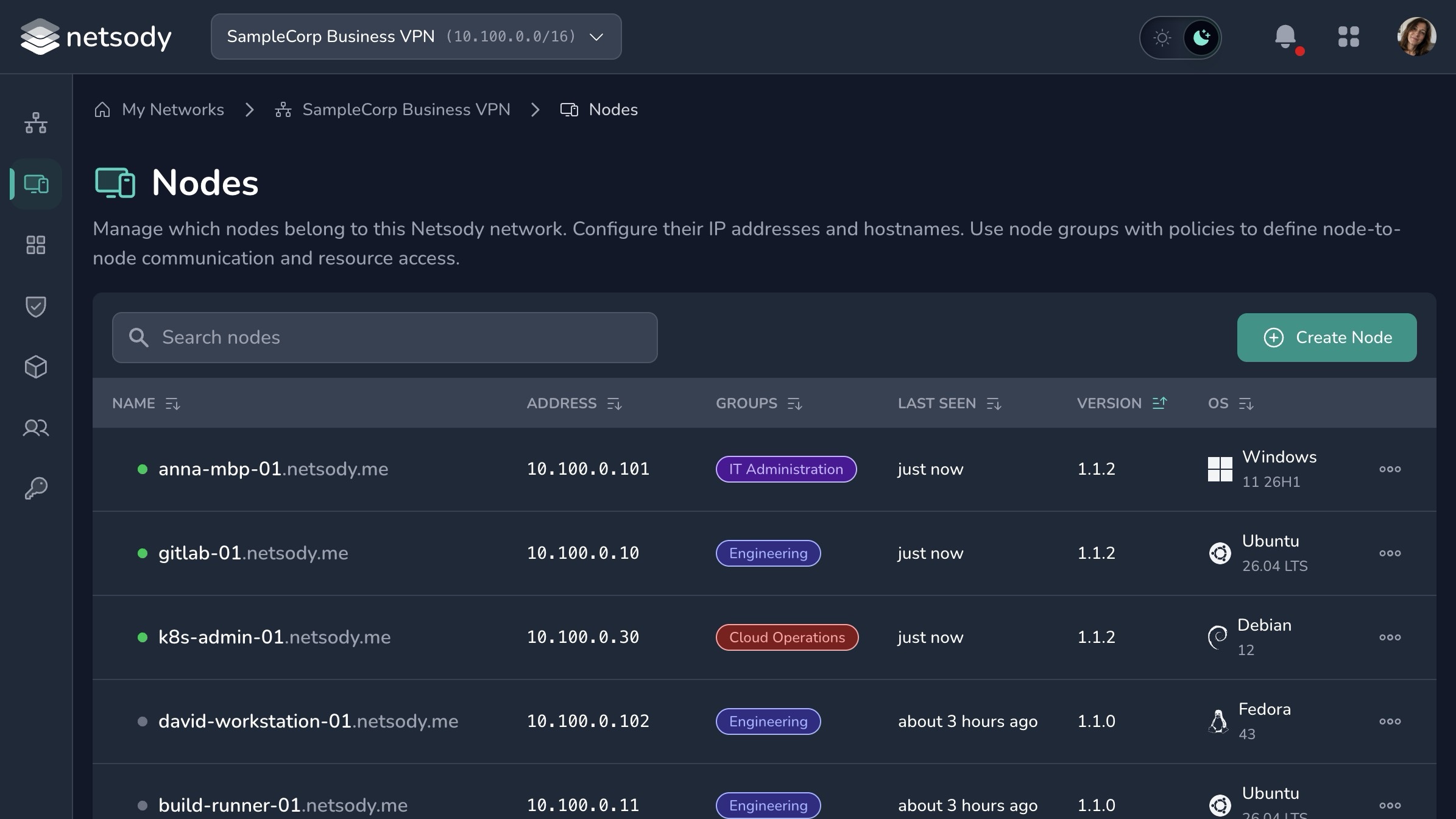
Nodes are the entries that represent devices inside a Netsody network. A node can be a laptop, workstation, server, phone, container host, or another system where the Netsody agent is installed.
Node identity
On first startup, the agent generates a cryptographic identity. The public key identifies the node in Netsody. The private key stays on the device.
The local Netsody UI or netsody status can show the local identity when you need to inspect a device.
Node attributes
Each node has:
- A public key that uniquely identifies the device.
- A hostname that is unique within the network.
- A Netsody IP address inside the network subnet.
- Optional groups used by policies and resources.
Nodes can be reached by their Netsody IP address or by their fully qualified hostname, such as <hostname>.netsody.me. The controller distributes this node state as part of the control plane.
Every node is implicitly part of the ALL group.
Add a node
In the web interface, a user can decide which of their devices may be added to a network they belong to.
Users can also install Netsody on new devices, pair those devices with their Netsody account, and then add them to networks where they have the required role.
Operational guidance
- Use clear node names that identify owner, role, or location.
- Remove nodes that are no longer in use.
- Keep groups focused on access intent, such as
admins,workstations,servers, orhome-lab. - Verify that a node has a policy path to the resources it should reach.
For installation instructions, see Get Started.